
Introduction
You can use the VoxelSpace WebUI to add a wide range of spatial entities—including point clouds, block models, terrain, meshes, and more. These entities serve as the foundation for analysis, visualization, collaboration, and reporting within your project.
Raw Data Samples
 Mesh
Mesh -
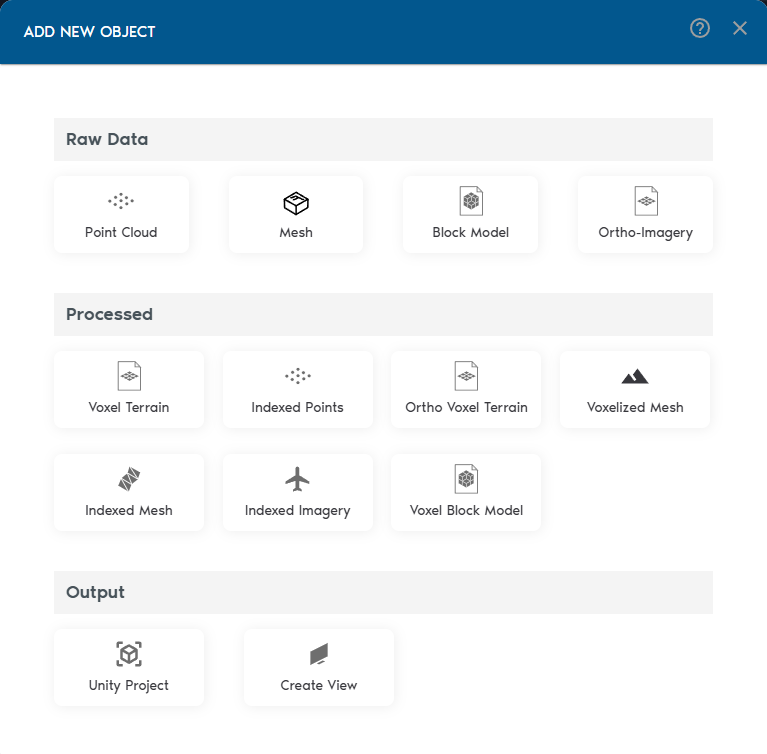
- Add Spatial Entities
Inside your project, click “Add Object” to begin adding spatial entities. VoxelSpace supports a wide range of input formats:
- Point Clouds
- Meshes (OBJ/FBX)
- Block Models
- Ortho-Imagery
- Process Your Raw Data
Once your raw data is in the system, VoxelSpace lets you convert it into optimized formats for analysis and visualization. These include:
- Indexed Mesh
- Indexed Point Cloud
- Voxel Terrain
- Voxel Block Model
- Voxelized Mesh
- Ortho Voxel Terrain
Choose the format that fits your use case—whether it's simulation, comparison, or rendering.
- Create a View
Views are where VoxelSpace truly shines. With a View, you can combine multiple datasets into a 3D scene, configure visual styles, explore cross-sections, and share insights with your team.
Views are collaborative, reusable, and can be saved or shared across your organization.