Viewing Reports
The WebUI keeps track of all Report entities in the Project's Catalog and provides a dedicated section in the UI to access them. To access the reports, select the "Reports" section in the WebUI:
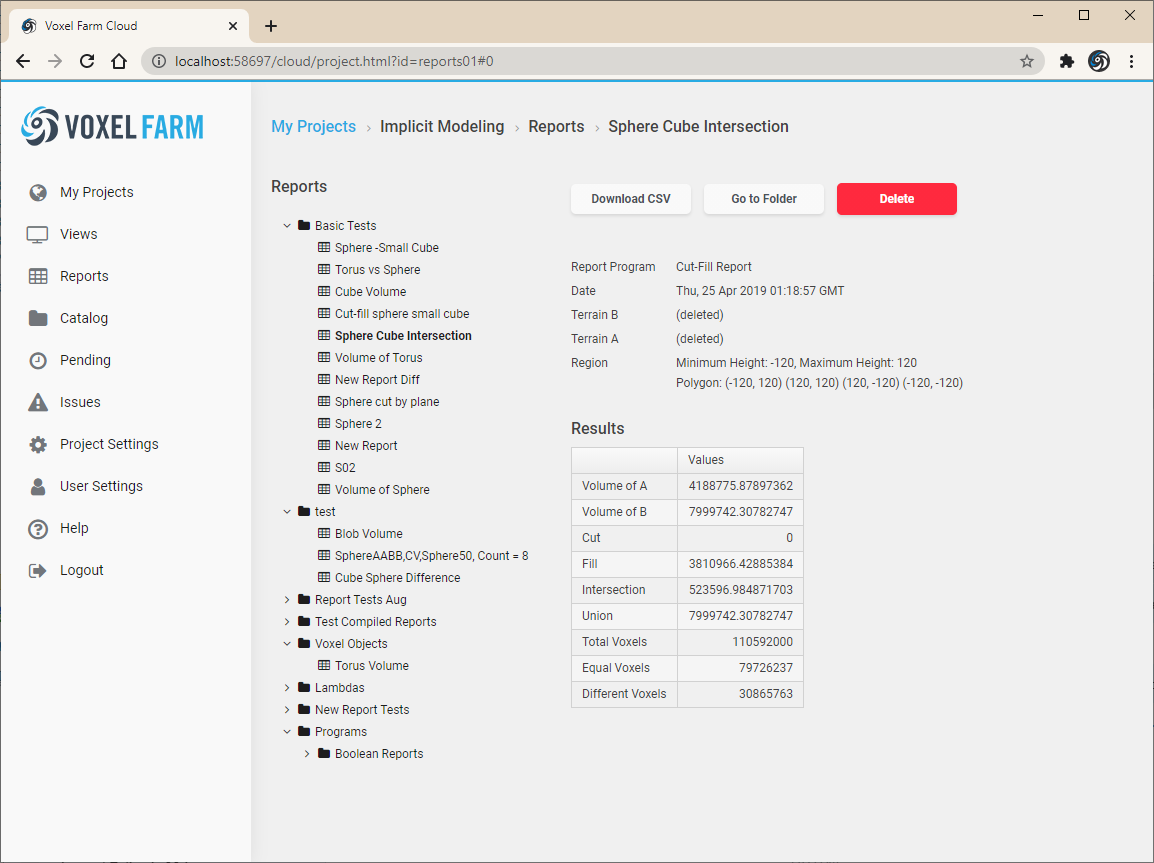
The reports are organized using the same hiearchy of Folders in the Project.
To view a Report, click on its name on the Tree View. The Report results will show as a table in the right panel.
Use the "Download CSV" link to download a CVS file with the results of the Report.