# Introduction
You can use the VoxelSpace WebUI to add a wide range of **spatial entities**—including point clouds, block models, terrain, meshes, and more. These entities serve as the foundation for analysis, visualization, collaboration, and reporting within your project.
**Raw Data Samples**
**[](https://help.voxelspace.com/uploads/images/gallery/2026-02/download.png)[Mesh](https://voxelspace.com/raw-data/sphere_01.obj)**
**[](https://help.voxelspace.com/uploads/images/gallery/2026-02/download.png)[Point Cloud](https://voxelspace.com/raw-data/points_25_8_5_lakes.xyz)**
**[](https://help.voxelspace.com/uploads/images/gallery/2026-02/download.png)[Ortho Imagery](https://voxelspace.com/raw-data/raster.zip)**
[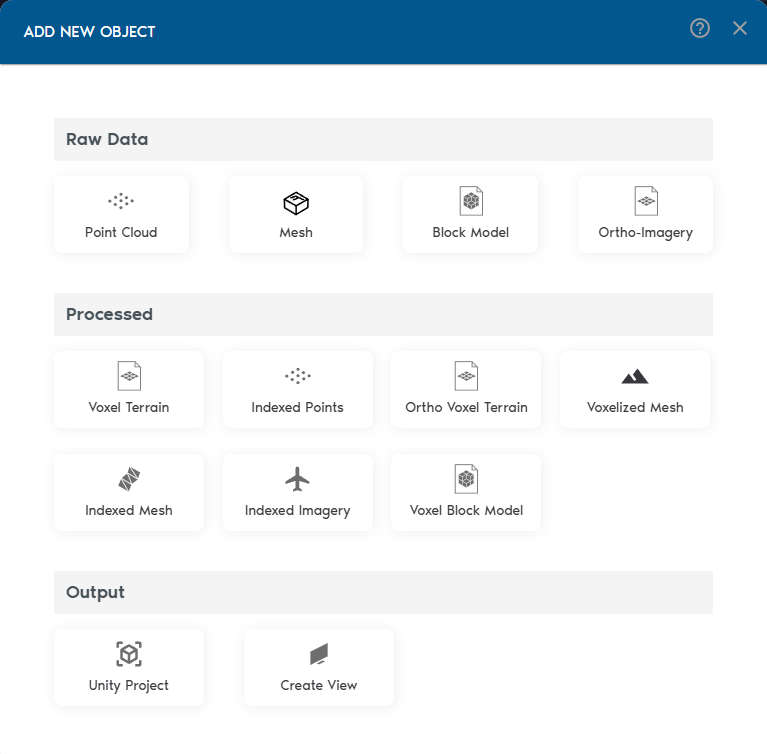](https://help.voxelspace.com/uploads/images/gallery/2025-08/vLSimage.png)
---
1. **Add Spatial Entities**Inside your project, click **“Add Object”** to begin adding spatial entities. VoxelSpace supports a wide range of input formats:
2. **Process Your Raw Data**Once your raw data is in the system, VoxelSpace lets you convert it into optimized formats for analysis and visualization. These include:
Choose the format that fits your use case—whether it's simulation, comparison, or rendering.
3. **Create a View**Views are where VoxelSpace truly shines. With a **View**, you can combine multiple datasets into a 3D scene, configure visual styles, explore cross-sections, and share insights with your team.
Views are collaborative, reusable, and can be saved or shared across your organization.