Python - API Setup
Initialize API
This examples shows how to create a new instance of the Voxel Farm client Python API.
# Import the Voxel Farm Client Library

from voxelfarm import voxelfarmclient

# The URL for the Voxel Space API
vf_api_url = 'https://vf-api.voxelspace.com'

# Create instance of the Voxel Farm REST API

vf = voxelfarmclient.rest(vf_api_url)
Provide Credentials
This example shows how to provide credentials for API authentication.
# Set credentials

vf_token = os.getenv('VF_USER_TOKEN')
if (vf_token!=None):
    vf.token=vf_token
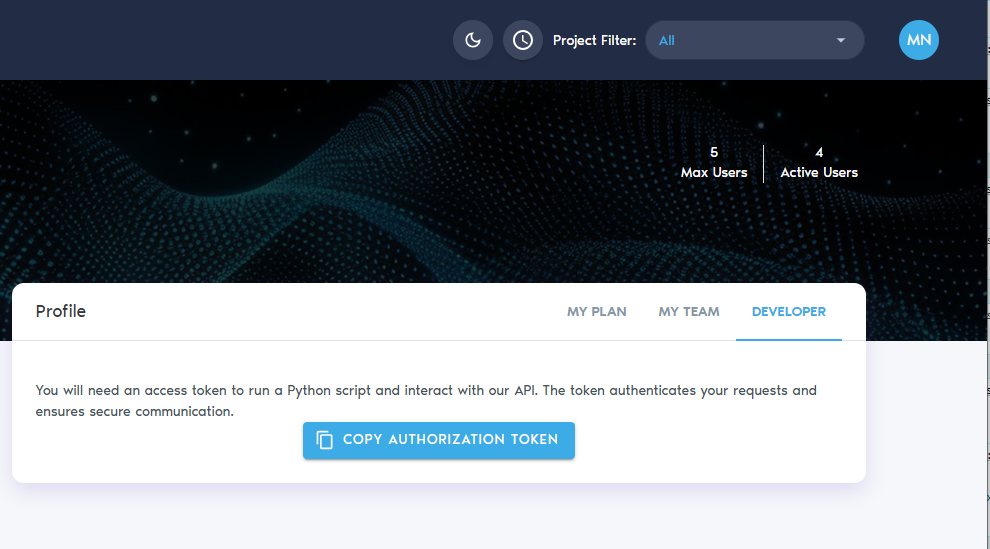
You can copy the token from your profile in the Developer tab, as shown below:
Specify an HTTP proxy
This example shows how to specify an HTTP proxy to be used in all HTTP calls made by the API.
# Use a proxy to debug HTTP requests using Fiddler or similar

proxies = {

  "http": os.getenv('YOUR_PROXY_URL'),

}

# Set the proxy to debug HTTP calls

vf.set_proxy(proxies)
Get CRS from project
This example shows how to retrieve the project's CRS (Coordinate Reference System).
# Get the coordinate system given project ID

result = vf.get_project_crs(project)

if not result.success:

    print(result.error_info)

    exit()

crs = result.crs